🚀 Introducing the new Freelancer Wizard
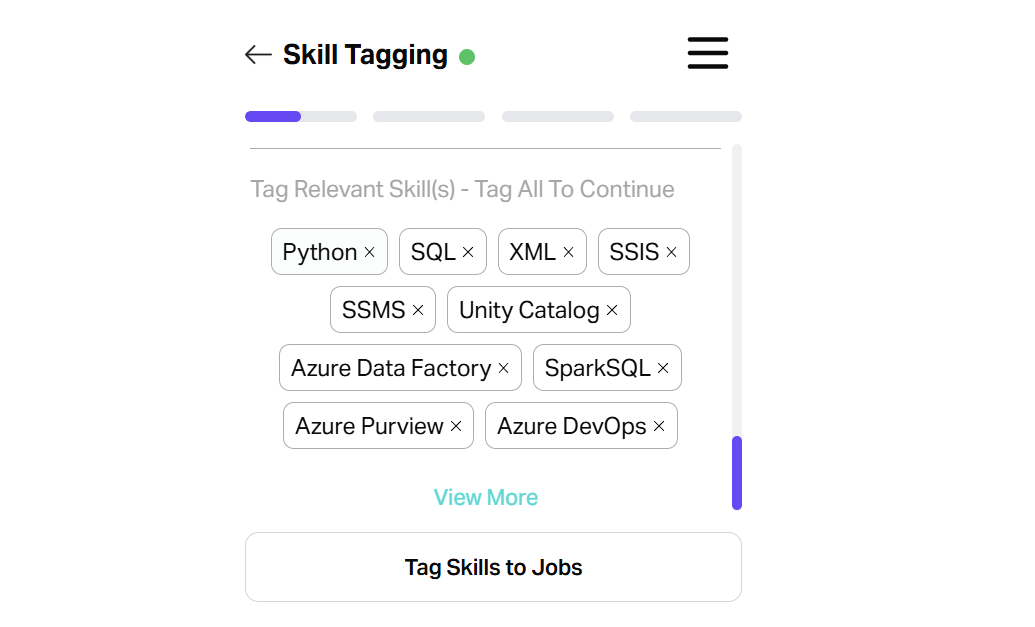
Managing your profile just got a whole lot faster - meet the Freelancer Wizard, the quickest way to tag skills to multiple jobs in one hit - no more endless clicking!
Quick recap: how skill ratings are calculated
1. Competency Rating (Depth)
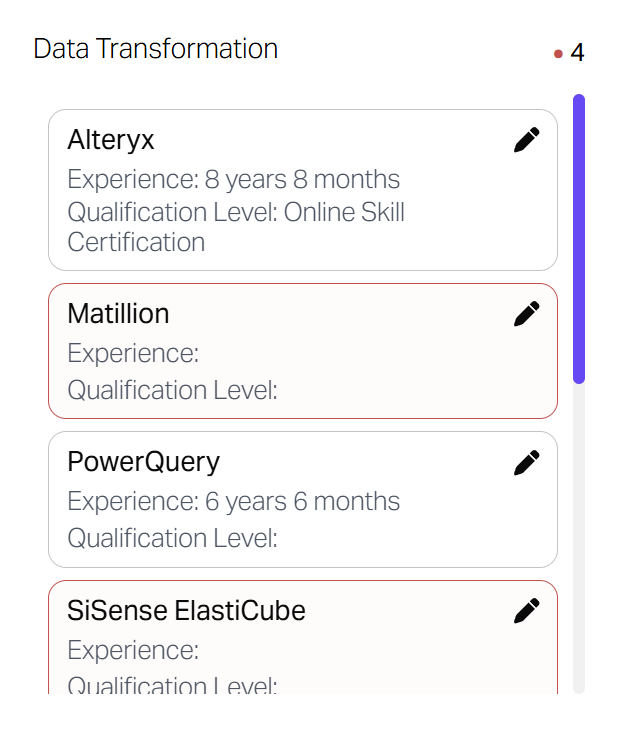
We look at every job you’ve tagged with a specific skill. We take the maximum years of experience found in your history for that skill and map it to a 0 – 100% scale (capped at 10 years for a perfect score).
Formula:

Example: If the Data Transformation skill you had the most experience with was Alteryx at 8 years 8 months, your competency rating be 87
2. Sub-Category Rating (Weighting)
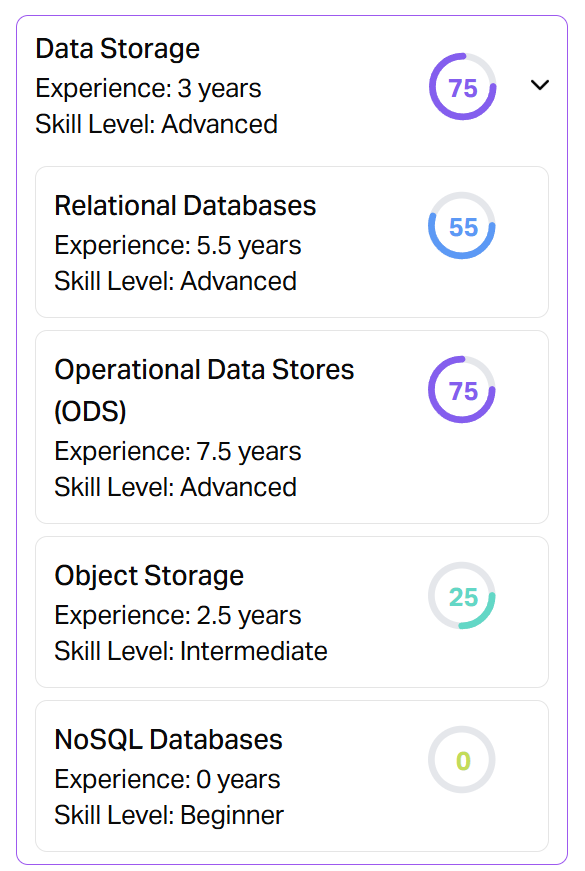
Related skills are grouped into Sub-Categories where we take your highest competency to define your expertise in that skill group. These are then weighted based on their importance to your specific role.
Formula:

Example: If you are an expert in Operational Data Stores (75), that high rating defines your "Data Storage" rating, even if you haven't used a NoSQL database yet.
3. Overall Rating (Global proficiency)
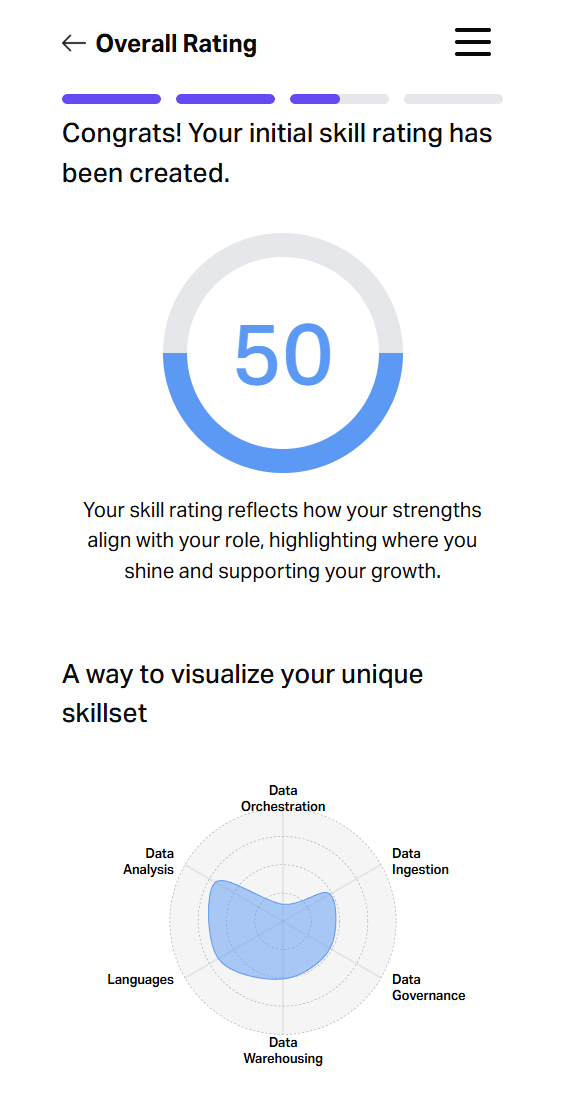
Finally, we roll up your Category ratings, each of which is a weighted average of your best Sub-Category performances, to give you a global "Proficiency" label (e.g. Intermediate, Advanced, Expert).
Category Rating Formula:
Categories act as containers for your sub-categories. We use your role's specific weightings for each sub-category to calculate how these sub-categories contribute to the category rating.
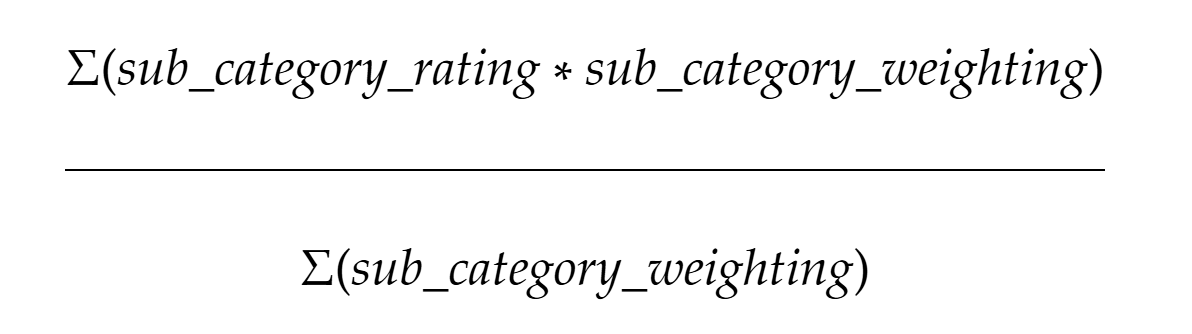
Category example: Data Warehousing
Category rating = 0.217 (weighted rating) / 0.40 (total weight) = 0.54
Overall Rating Formula:

Example: High scores across categories such as Data Analysis and Languages will push your Overall Rating toward "Advanced."
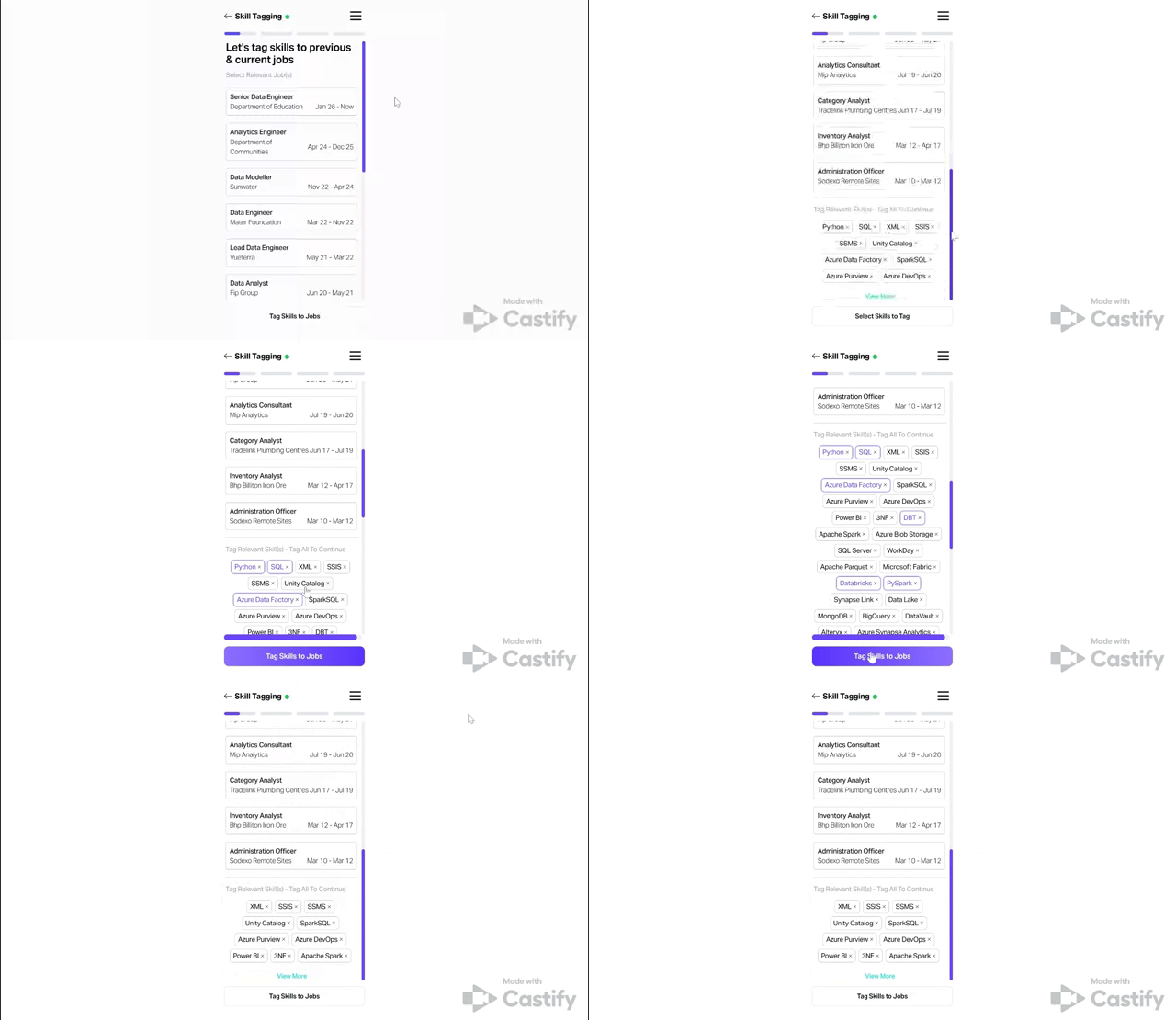
How the Wizard works: Bulk tagging skills in seconds
The Wizard simplifies the math. It scans your resume, detects your skills, and lists them for you. You can now select multiple jobs and multiple skills to tag them all at once.
Pro Tip: Once tagged, skills disappear from the list to make it easy for you to know what you’ve already tagged. Need to add a skill to another job? Just refresh the screen, and it will reappear.
📈 The Result: Level Up Your Profile
Accurate tagging isn't just about organisation, it’s about visibility. By bulk-tagging your history, you instantly increase the "Max Years" in our formulas, automatically boosting your Skill Ratings and making you more visible to the right clients.
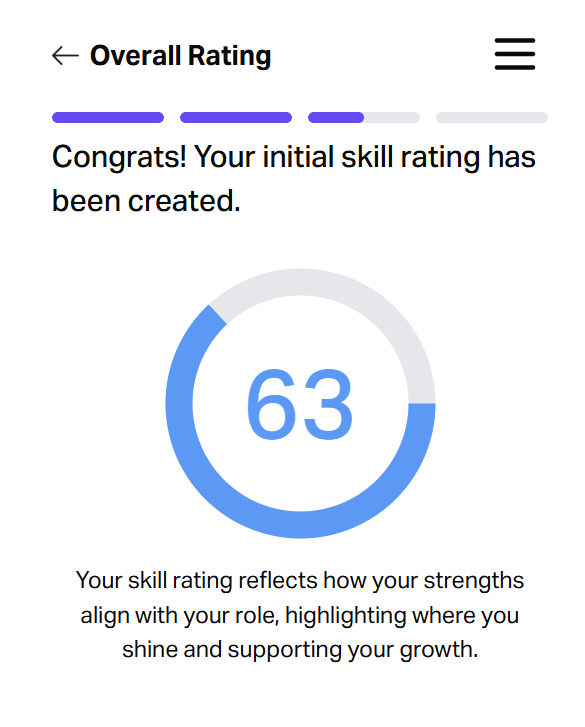
❓Hang on - why didn’t my overall rating go up?
Wondering why your rating hasn't moved even after you’ve been busy tagging? There are usually two reasons:
The Taxonomy Rule: Skill Ratings are calculated based on a pre-defined "Role Taxonomy." If the skill you tagged isn't in that specific role's bucket yet, it gets moved to “Uncategorised” and won’t count toward your total.
Fret not: We periodically review these and map new skills to the right categories!
The "Peak Mastery" Logic: We only care about your best skill in a sub-category. If you are a 5-year veteran in Python, adding a 1-year project in another language in that same group won't raise your score - we’re already celebrating your peak mastery!
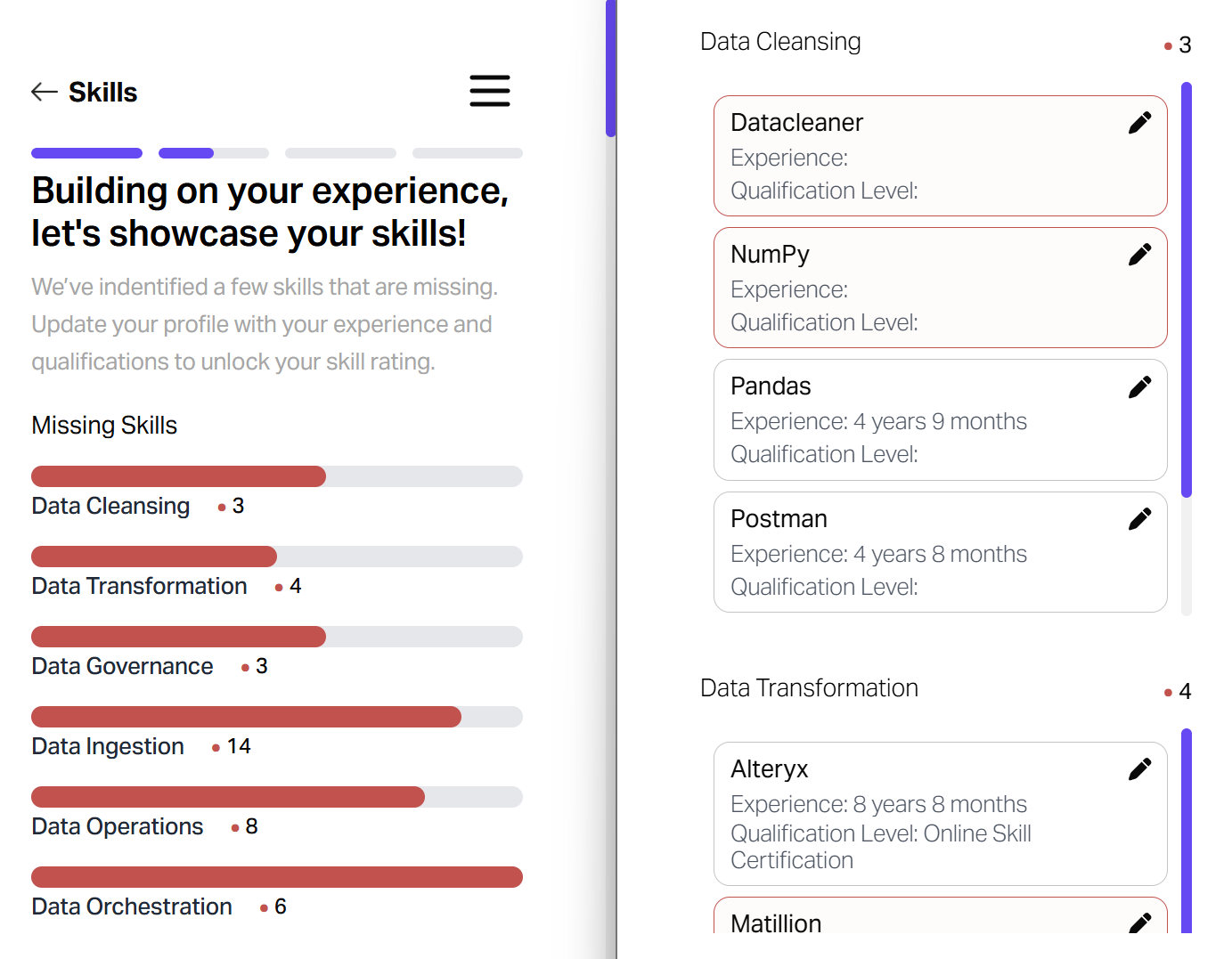
How to fix it: Navigate to your Skills Dashboard. This screen shows exactly which skills are missing from each category in your role's taxonomy.
Click on the pencil icon to update as many "red-flagged" skills as possible with your experience - this is the most direct way to boost your rating and your visibility!